 by
by Checking SIM ownership in Pakistan is important for protecting your identity, preventing unauthorized SIM registration, and ensuring that your mobile connections are registered correctly. Whether you use Jazz, Zong, Ufone, Telenor, or another supported operator, you should know how to verify your own SIM registration information.
In 2026, one of the safest ways to check SIM registration is through the Pakistan Telecommunication Authority (PTA) SIM Information System. You can use the official website or send an SMS to a designated short code without installing a third-party application.
However, it is important to understand the difference between checking SIMs registered against your own Computerized National Identity Card (CNIC) and attempting to identify the private owner of someone else’s mobile number. Official public services are designed to help users verify their own registration information, not expose another person’s confidential data.
This guide explains the best SIM ownership checking methods in Pakistan, how to use them step by step, which apps and websites to trust, and what to do if you discover an unfamiliar SIM registered against your CNIC.
What Is SIM Ownership Verification?
SIM ownership verification is the process of checking the registration status of a mobile SIM card and confirming whether it is associated with the correct identity.
In Pakistan, mobile SIM registration is subject to identity verification requirements. Keeping your SIM registered in your own name helps protect you from problems associated with unauthorized use.
For example, you may want to verify your SIM ownership if:
- You have purchased a new SIM card.
- You want to check how many SIMs are registered against your CNIC.
- You suspect that someone has registered a SIM using your identity.
- You want to confirm the registration information of the SIM in your phone.
- You have found an unfamiliar SIM registration while checking your records.
The official verification method depends on what information you need. Some services show the total number of SIMs registered against your CNIC, while another method can help verify the registration information of the SIM you are currently using.
Download
What Is the Best SIM Ownership Checking App in Pakistan in 2026?
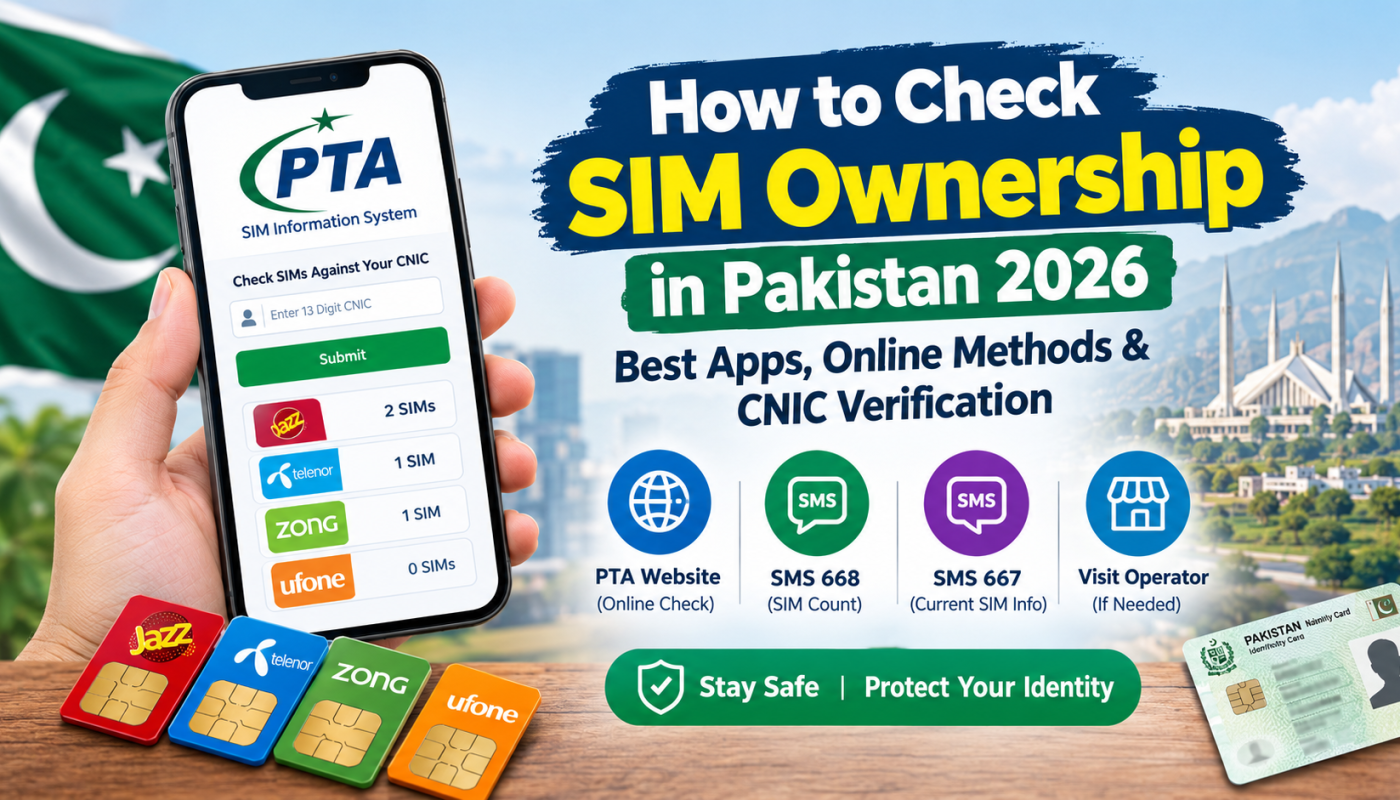
The best starting point is the official PTA SIM Information System website. You do not need to install an unknown application to check the number of SIMs registered against your CNIC.
Official website: https://cnic.sims.pk/
The website allows you to check the total number of SIMs registered against your CNIC, organized by mobile operator. It is particularly useful if you want to review your registration records and identify whether further investigation is necessary.
Why use the official PTA website?
- It is the official SIM Information System portal.
- It works through a web browser on a smartphone or computer.
- It does not require you to install a separate SIM database application.
- It helps you check SIM registration counts against your CNIC.
- It reduces the risk of sharing personal information with unknown websites.
Remember that this service provides SIM counts rather than a public database of names, addresses, and phone numbers belonging to other people.
If an application promises to reveal the complete name, CNIC, address, and personal details of any mobile number, be cautious. Such claims should not be treated as proof that the application is official, accurate, or safe.
Method 1: Check SIM Ownership Online Through the PTA Website
The PTA SIM Information System is a convenient choice for people who have an internet connection.
Follow these steps to check your SIM registration count online.
Step 1: Open the official website
Visit the following link in your mobile or desktop browser:
Always check the website address carefully before entering personal information.
Step 2: Enter your CNIC number
Enter your 13-digit CNIC number in the designated field. Follow the website’s instructions and enter the number in the required format.
Step 3: Complete the verification
If the website displays a security verification or CAPTCHA, complete it as instructed.
Step 4: Submit your information
Click the Submit button to request the result.
Step 5: Review the results
The website displays the number of SIMs registered against your CNIC, organized by mobile operator.
If the count is different from what you expected, contact the relevant mobile operator to investigate. The website does not necessarily provide every individual mobile number associated with the displayed count.
Is the PTA SIM Information System free?
The online portal does not display a fee for this basic SIM count check. You may still need an internet connection to access it.
Method 2: Check SIMs Registered Against Your CNIC Through SMS 668
If you do not have internet access, you can use the SMS-based verification method.
PTA advises consumers to check their SIM registration status through its website or by sending their CNIC number to 668. Standard SMS charges may apply.
Steps to check SIMs through 668
- Open the Messages application on your mobile phone.
- Create a new SMS.
- Enter your 13-digit CNIC number without dashes.
- Send the message to 668.
- Wait for the response and review the SIM counts reported for the relevant operators.
For example, enter your own CNIC digits in the message rather than copying a sample number from an online article.
The response helps you understand how many SIMs are registered against your CNIC under different operators.
What information does 668 provide?
The service is designed to report SIM registration counts associated with your CNIC. It is not a public tool for finding the private identity of any mobile number.
If you discover a count you cannot explain, contact the relevant operator for a detailed check.
Method 3: Check the Registration Information of Your Current SIM Through 667
Sometimes you want to check the registration information of the SIM already inserted in your phone.
The SMS code 667 is associated with mobile number portability and SIM registration information. You can try sending the word MNP from the SIM you want to check and follow the instructions in the response.
How to use 667
- Open your phone’s messaging application.
- Create a new SMS.
- Type
MNP. - Send the message to 667 from the SIM you want to verify.
- Review the response and contact your operator if you need clarification.
Availability, response format, and charges may depend on the operator and current service arrangements.
This method is different from 668. The 668 service checks SIM counts against your CNIC, while 667 is intended for information related to the SIM sending the message.
If the response is unavailable or does not provide enough information, visit the official franchise or customer service centre of your mobile operator with your original CNIC.
Method 4: Visit Your Mobile Network’s Official Franchise
Online tools and SMS services may not resolve every ownership problem. If you suspect that a SIM is registered incorrectly or that someone has used your identity without permission, visiting an official franchise is a practical next step.
Depending on your operator, you may be asked to provide your original CNIC and complete identity verification.
At the service centre, explain the issue and ask the representative to:
- Verify the SIMs registered under your CNIC with that operator.
- Check whether an unfamiliar SIM is associated with your identity.
- Explain the procedure for blocking or disowning an unauthorized connection.
- Provide a complaint or reference number where applicable.
Use an authorized service centre rather than an unknown agent who claims to have access to a private SIM database.
Can You Find the Owner’s Name Using a Mobile Number?
Many people search online for ways to find the name or CNIC of a mobile number’s owner. However, Pakistan’s official public SIM Information System does not provide an unrestricted lookup of another person’s private registration details.
The official services have specific purposes:
- PTA website: Shows the number of SIMs registered against your CNIC.
- SMS 668: Provides SIM registration counts associated with your CNIC.
- SMS 667: Helps with registration information for the SIM sending the message.
- Mobile operator: Can investigate registration issues through its authorized verification process.
You should not assume that a third-party website or mobile application has official access to private subscriber information.
If a number is involved in fraud, threats, harassment, or a scam, preserve the messages and call records and report the incident to the relevant operator and appropriate authorities. Do not try to obtain someone’s private identity information through unauthorized databases.
How to Identify Fake SIM Ownership Apps
Search results may include applications or websites claiming to offer complete SIM owner details, live SIM tracking, or private CNIC information. Some may provide inaccurate or outdated information, while others may pose privacy and security risks.
Before using any SIM checking application, consider the following precautions.
1. Verify the publisher
Check whether the service is operated by a recognized organization. A logo or the word “official” in an application’s name does not prove that it is authorized by PTA.
2. Avoid unnecessary CNIC requests
Do not submit your CNIC, phone number, identity document, or OTP to an unknown service merely because it promises to reveal subscriber details.
3. Check the application’s permissions
A basic SIM-count information tool should not need unrestricted access to your contacts, photographs, messages, or personal files.
4. Avoid installing APK files from unknown websites
Unofficial APK files can expose your phone to malware, unwanted advertisements, or data theft. Download applications only from trusted sources and verify the publisher.
5. Do not pay for unrealistic promises
Be suspicious of services that demand payment for a complete private database of Pakistani SIM owners.
Best practice: Start with the official PTA website or SMS service instead of searching for an application that claims to reveal the personal information of any number.
What Should You Do If an Unknown SIM Is Registered Against Your CNIC?
Finding an unexpected SIM count does not automatically prove identity theft, but it is worth investigating promptly.
Follow these steps:
- Recheck your CNIC number to ensure that you entered it correctly.
- Contact the relevant mobile operator through its official customer service channel.
- Ask the operator to verify the SIM registrations associated with your identity.
- If an unauthorized SIM is confirmed, request the appropriate blocking or disowning procedure.
- Keep any complaint reference number and records of your communication.
- If the matter is unresolved, use PTA’s official complaint channels.
PTA’s consumer website and complaint portal can help you find the appropriate escalation route.
Official PTA website: https://www.pta.gov.pk/
PTA complaint portal: https://complaint.pta.gov.pk/CMS/
Do not publish your CNIC or personal documents on social media while asking for help.
Important Safety Tips for SIM Owners in Pakistan
SIM security is part of protecting your digital identity. A mobile number may be used for banking alerts, account recovery, and two-factor authentication, so unauthorized access can create additional risks.
Follow these precautions:
- Keep your SIM registered in your own name.
- Check your SIM registration counts periodically.
- Never share an OTP with an unknown caller.
- Avoid sending CNIC images to unofficial websites.
- Contact your operator immediately if your SIM stops working unexpectedly and you suspect unauthorized activity.
- Secure your email, banking applications, and social media accounts with strong authentication.
- Use only official operator and government channels for registration complaints.
PTA has also reminded consumers that SIMs should be registered in the user’s own name and that the registered user remains responsible for their use.
Frequently Asked Questions (FAQs)
1. Which is the best SIM ownership checking app in Pakistan in 2026?
The official PTA SIM Information System at https://cnic.sims.pk/ is the best starting point for checking SIM counts against your CNIC. You do not need to install a third-party application for this basic check.
2. How can I check how many SIMs are registered against my CNIC?
Visit the official PTA SIM Information System website and enter your CNIC as instructed. Alternatively, send your 13-digit CNIC number without dashes to 668. SMS charges may apply.
3. Can I check SIM ownership online for free?
The official PTA online portal allows you to check the SIM count associated with your CNIC without a fee displayed for the service. Internet or mobile data charges may still apply.
4. Can I find someone’s name using their mobile number?
The official public SIM Information System does not provide unrestricted access to another person’s name, CNIC, or address. If you have a legitimate safety concern, report the number to the operator or relevant authorities.
5. What is the difference between 667 and 668?
The 668 service checks how many SIMs are registered against your CNIC. The 667 service relates to information about the SIM that sends the request. They serve different purposes.
6. What should I do if a SIM is registered against my CNIC without my permission?
Contact the mobile operator concerned, request identity verification, and follow its procedure for blocking or disowning the unauthorized SIM. If necessary, escalate the issue through PTA’s official complaint portal.
7. Is it safe to use SIM database websites?
Be cautious. Unofficial websites claiming to reveal private subscriber details may provide unreliable information or collect personal data. Use official verification channels whenever possible.
8. Do I need to install an app to check SIM ownership?
No. For the basic SIM registration count, you can use the official PTA website or SMS 668. For a specific registration problem, your operator’s authorized service centre can assist you.
Conclusion
Checking SIM ownership in Pakistan in 2026 is straightforward when you use the correct official method. The PTA SIM Information System is the recommended starting point for checking the number of SIMs registered against your CNIC. SMS 668 provides an alternative when internet access is unavailable, while 667 may help verify information about the SIM sending the request.
Avoid unknown SIM database applications that promise access to private subscriber records. If you discover an unfamiliar registration, contact your mobile operator and follow the official complaint process.
Taking a few minutes to verify your SIM registration can help you protect your identity, reduce the risk of unauthorized use, and keep your mobile connections properly registered.
References and Official Links
- PTA SIM Information System: https://cnic.sims.pk/
- Pakistan Telecommunication Authority (PTA): https://www.pta.gov.pk/
- PTA Consumer Complaint Portal: https://complaint.pta.gov.pk/CMS/