Generate Android App Icons as a ZIP: Complete Guide for Developers (2025)
Learn how to generate Android app icons in all required sizes and download them as a ZIP file for easy integration into your Android project.
Generate Android App Icons as a ZIP
Creating Android app icons can be time-consuming if done manually. Android requires multiple icon sizes for different screen densities, and missing even one size can lead to visual inconsistencies or build warnings.
This guide explains how to generate Android app icons as a ZIP file, why it matters, and how developers can simplify their workflow using online tools.
Icon Generating
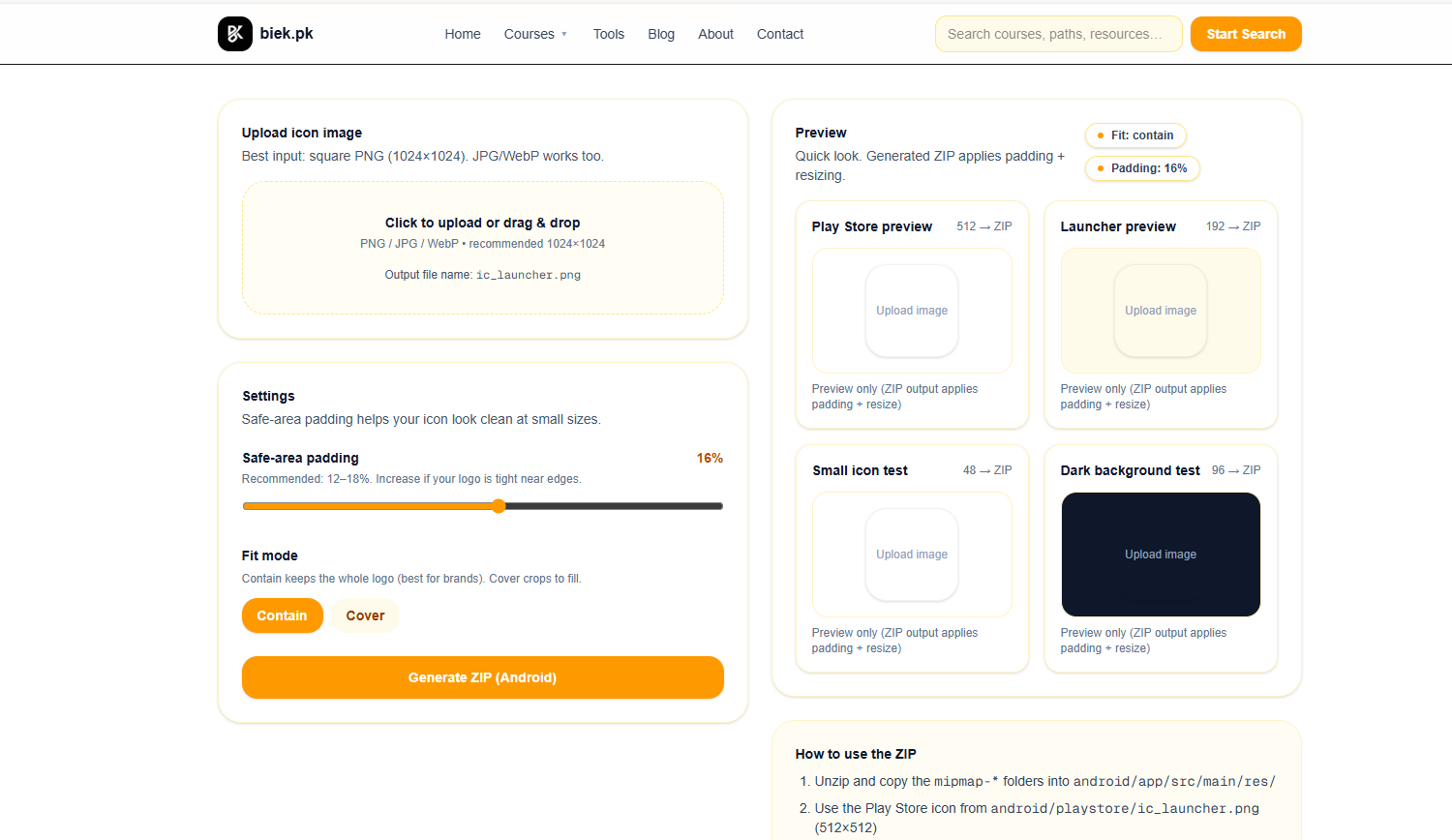
(The image shows Android app icon sizes packaged in a ZIP file.)
Why Android App Icons Matter
Android app icons are more than just visuals — they are a key part of user experience and branding.
A well-prepared icon:
- Improves app recognition
- Looks consistent across devices
- Meets Google Play design requirements
- Enhances professionalism
Because Android devices come in different screen densities, a single icon file is not enough.
Required Android App Icon Sizes
Android uses multiple density buckets, each requiring a specific icon size:
| Density | Icon Size |
|---|---|
| mdpi | 48 × 48 |
| hdpi | 72 × 72 |
| xhdpi | 96 × 96 |
| xxhdpi | 144 × 144 |
| xxxhdpi | 192 × 192 |
Manually creating and organizing these files can be inefficient, especially for repeated projects.
What Does “Generate Icons as a ZIP” Mean?
When you generate Android app icons as a ZIP file, the tool:
- Resizes your source image into all required dimensions
- Organizes icons into proper folders
- Packages everything into a single ZIP archive
This ZIP file can then be extracted directly into your Android project structure.
How to Generate Android App Icons as a ZIP
The general process is simple and beginner-friendly:
- Prepare a high-resolution square image (preferably 512×512 or higher)
- Upload the image to an Android app icon generator
- The tool automatically creates all required icon sizes
- Download the generated icons as a ZIP file
- Extract and place icons into your Android project
For convenience, online tools handle sizing and packaging automatically.
One example is the Android App Icon Generator available on Biek.pk, which generates all required Android icons and provides them in a ZIP file:
https://biek.pk/tools/android-app-icon-generator
Benefits of Using a ZIP-Based Icon Generator
Using a ZIP download approach offers several advantages:
- Saves time and manual effort
- Reduces human error
- Ensures correct naming and structure
- Keeps assets organized
- Ideal for both beginners and experienced developers
This approach is especially useful when working on multiple apps or frequent updates.
Best Practices for Android App Icons
To ensure the best results:
- Use a clean, simple design
- Avoid excessive text in icons
- Keep important elements centered
- Test visibility at smaller sizes
- Follow Google’s Material Design guidelines
High-quality source images lead to better icon results.
Common Mistakes to Avoid
Developers often run into issues such as:
- Using low-resolution source images
- Ignoring density-specific sizes
- Inconsistent icon styles
- Incorrect file placement
Using a dedicated generator helps prevent these mistakes.
Frequently Asked Questions
Can I use one image for all Android icon sizes?
Yes. A high-resolution square image can be resized automatically into all required sizes.
Do I need design software?
No. Online generators remove the need for design tools in most cases.
Is a ZIP file better than individual downloads?
Yes. ZIP files keep everything organized and are easier to integrate into projects.
Are these icons ready for Google Play?
Icons generated in standard sizes are suitable for Android apps, but always review Google Play guidelines before publishing.
Final Thoughts
Generating Android app icons as a ZIP file is an efficient and reliable way to prepare assets for Android applications. It simplifies development, ensures consistency, and saves valuable time.
By using a dedicated Android app icon generator and following best practices, developers can focus more on building great apps and less on asset management.
Explore more developer tools and guides on Biek.pk to streamline your Android workflow.